
The right career documentation tool acts as your professional memory and resume factory, storing achievements, credentials, and application materials in one searchable system so you never scramble to recall a project detail or rebuild your resume from scratch. Most professionals lose track of accomplishments within months, but career documentation software captures them in real time, turning scattered notes and emails into organized proof of your growth. Whether you need a simple tracking app or an integrated portfolio platform, the best choice depends on your career stage, documentation volume, and how often you update applications.
This buying guide walks you through the landscape of career documentation tools available in 2026, from free note-taking apps to specialized platforms built for professional tracking. You’ll learn which features actually matter, what your career stage demands, and how to avoid paying for functionality you’ll never use. The goal is simple: find a tool that feels natural enough to use consistently, because the most sophisticated platform is worthless if you abandon it after two weeks.
Career documentation isn’t about perfection or exhaustive journaling. It’s about building a reliable system that captures wins, skills, and credentials as they happen, so when opportunity knocks or performance review season arrives, you’re working from evidence instead of memory. The right tool makes this effortless, fitting into your workflow rather than adding another chore to your week. Let’s find the one that works for you.
Understanding Career Documentation Tools
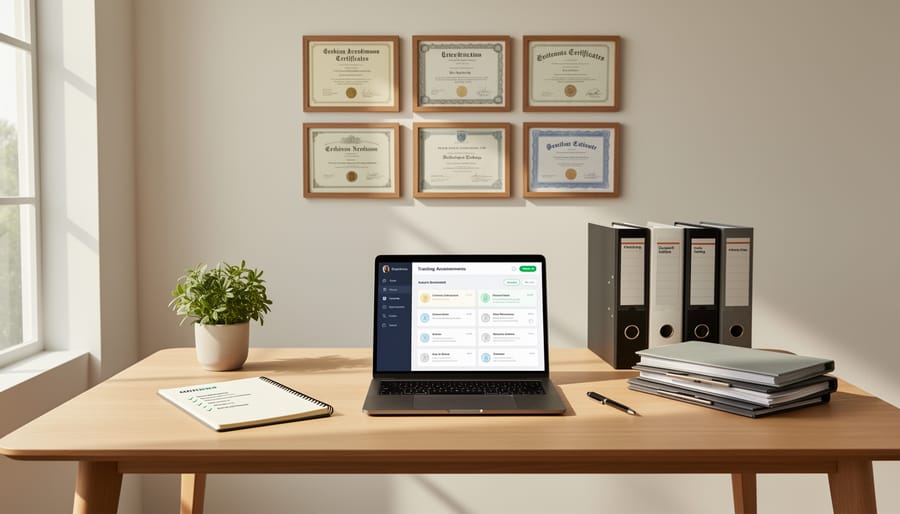
Career documentation tools are comprehensive systems designed to capture, organize, and leverage your professional accomplishments throughout your career journey. Unlike traditional resume builders that focus solely on creating a single document for immediate job applications, these tools serve as living repositories of your professional growth. They help you systematically record achievements as they happen, store evidence of your work, maintain credentials, and generate various application materials from a centralized database of your career information.
The fundamental purpose of career documentation tools is to solve a problem most professionals face: forgetting their wins. When you wait until you need a resume to recall what you’ve accomplished, you lose crucial details, undervalue your contributions, and miss opportunities to quantify your impact. Modern documentation tools shift this paradigm by encouraging continuous tracking of projects, metrics, skills developed, and recognition received throughout your career.
The scope of career documentation extends far beyond resume content. Accomplishments tracking captures specific wins, quantifiable results, and the context behind your contributions. Portfolio management organizes work samples, case studies, and project outcomes that demonstrate your capabilities visually. Credential storage maintains certifications, training completions, performance reviews, and recommendation letters in one accessible location. Application material generation transforms your stored information into customized resumes, cover letters, LinkedIn profiles, and interview talking points tailored to specific opportunities.
This comprehensive approach means you’re always prepared. Whether you’re asked in a performance review to list your quarterly accomplishments, need to update your LinkedIn after a promotion, or suddenly encounter an unexpected job opportunity, your documentation tool provides the raw material to respond quickly and accurately. The investment in systematic documentation pays dividends throughout your career, not just during active job searches.
Types of Career Documentation Tools Compared
All-in-One Career Management Platforms
All-in-one career management platforms serve as central hubs for every aspect of your professional documentation. These comprehensive systems let you track achievements as they happen, store credentials and work samples, build multiple resume versions, and manage job applications without switching between different tools.
The main advantage? Everything connects. When you log a new accomplishment in your tracker, it automatically becomes available for your resume builder. Update your skills in one place, and they appear across your entire profile. This integration eliminates the frustrating task of manually copying information between systems or maintaining separate files that quickly fall out of sync.
Popular platforms in this category typically include a career timeline or journal for logging wins, template-based resume and cover letter builders, space for portfolio pieces or project documentation, and dashboards showing your application activity. Some add networking features, interview prep modules, or career planning tools.
The trade-off is complexity. These platforms require more initial setup than single-purpose tools, and their breadth of features can feel overwhelming if you only need basic documentation. They work best for professionals who want a complete career management solution rather than just a resume builder.
Accomplishment and Achievement Trackers
Accomplishment trackers solve a specific problem: capturing professional wins before you forget them. These specialized tools focus exclusively on recording what you’ve achieved, not on formatting resumes or building portfolios. Think of them as career journals with structure.
The best accomplishment trackers prompt you regularly to document recent wins, quantify results, and add context while details are fresh. Many send weekly or monthly reminders asking “What did you accomplish?” This habit-building approach prevents the common mistake of scrambling to remember achievements months later when updating a resume.
Key features distinguish quality trackers. Look for customizable fields that capture not just what you did, but the impact, budget managed, percentage improved, problems solved. Strong tools let you tag accomplishments by skill, project, or competency, making it easy to pull relevant wins for specific job applications later.
Some trackers integrate with performance review cycles, helping you prepare self-assessments with concrete evidence. Others export achievements directly into resume formats or generate bullet points optimized for applicant tracking systems. The simplest versions are essentially smart templates in note-taking apps; the most sophisticated use AI to suggest quantification opportunities or rewrite achievements for different contexts.
Digital Portfolio and Credential Platforms
Digital portfolio platforms serve professionals who need to visually demonstrate their work and credentials beyond what a traditional resume can convey. These solutions combine secure credential storage with public-facing showcase capabilities, letting you organize certificates, licenses, work samples, client testimonials, and project case studies in one accessible location.
The strongest platforms in this category offer verified credential hosting, where certifications and endorsements carry digital authentication from issuing organizations. You can typically create multiple portfolio views tailored to different audiences, one highlighting design work for creative roles, another emphasizing technical certifications for IT positions.
Most tools provide customizable templates that maintain professional presentation without requiring web design skills. You control visibility settings for each item, keeping sensitive materials private while showcasing relevant work publicly. Integration with LinkedIn and personal websites lets you embed portfolios directly where employers and clients are already looking.
These platforms particularly benefit freelancers, consultants, creative professionals, and anyone in fields where demonstrating actual work matters more than listing job titles. The investment makes sense when your career depends on proving capability through tangible examples rather than credentials alone.
Application Material Generators
Application material generators transform your stored career information into polished, job-ready documents in minutes. These tools pull from your documented achievements and experience to create tailored resumes and cover letters for specific opportunities.
Most generators offer template libraries with industry-specific formats, from creative portfolios to traditional corporate resumes. The best ones let you select different achievements for different applications, highlighting project management skills for one role while emphasizing technical expertise for another, without manually rewriting your entire resume each time.
Look for tools that handle ATS optimization automatically, adjusting formatting and keyword density to pass automated screening systems. Some platforms analyze job descriptions and suggest which stored accomplishments to emphasize, saving hours of customization work.
The main trade-off: generators work best when you’ve already documented your career thoroughly. If your achievement database is sparse or poorly organized, the output will be generic. They’re powerful for active job seekers applying to multiple positions, but less useful if you only update your resume once a year. Pay attention to export formats, PDF is standard, but Word compatibility matters for some application systems.
Document and Credential Storage Systems
Document and credential storage systems serve as digital filing cabinets for your professional paperwork. These platforms prioritize security and organization over content creation, making them ideal for storing certificates, licenses, performance reviews, reference letters, and official documents you’ll need throughout your career.
Cloud storage services like Google Drive or Dropbox work for basic needs when you create a structured folder system. Dedicated credential platforms such as Parchment or Degreed specialize in verified academic and professional certifications, often connecting directly with issuing institutions. For comprehensive needs, document management systems like Notion or Evernote let you build custom databases with tags, dates, and searchable notes.
The right choice depends on what you’re storing. Physical credentials benefit from verification features, while internal documents need only secure backup and easy retrieval when updating applications.
Key Factors When Choosing Career Documentation Software
Ease of Use and Learning Curve
The best career documentation tool is one you’ll actually use, which means ease of use should be a top priority. Look for software with an intuitive interface that doesn’t require lengthy tutorials or multiple sessions to understand. You should be able to add an accomplishment or update a credential within a minute or two, not after navigating through confusing menus.
Consider the initial setup time required. Some platforms demand hours of data entry upfront, which can feel overwhelming when you’re starting from scratch. Better options let you begin with basic information and expand your documentation gradually. The ideal tool should feel like a natural extension of your workflow rather than an additional burden.
Test how the tool handles your typical documentation tasks. Can you quickly log a win after a successful project? Is updating your resume straightforward when you need it? If a tool requires constant reference to help documentation or feels clunky during everyday use, you’ll likely abandon it within weeks, wasting both time and money.
Documentation Features and Flexibility
The most effective career documentation tools let you capture achievements in multiple formats, from quantitative wins like “increased sales by 23%” to qualitative accomplishments like leading a successful team transition. Look for platforms that allow custom fields beyond basic job title and dates, so you can add project context, specific metrics, skills demonstrated, and the impact of your work.
Flexibility in organization matters significantly. Strong tools let you tag achievements by skill, categorize by project type, or group by career theme, making it easy to pull relevant accomplishments for different applications. This becomes particularly valuable when you’re tracking progress toward SMART goal examples or building evidence for performance reviews.
The ability to attach supporting materials, screenshots, reports, testimonials, or work samples, to specific achievements adds depth to your documentation. Some platforms even support narrative notes where you can record the full story behind an accomplishment, which proves invaluable months later when crafting compelling cover letters or interview stories.
Export and Application Creation Capabilities

The most valuable career documentation tool seamlessly converts your stored accomplishments into polished application materials without starting from scratch each time. Look for platforms that let you select relevant achievements and automatically format them into professional resumes tailored to specific job descriptions. The best systems maintain multiple versions simultaneously, so you can quickly customize applications for different roles or industries.
Strong export capabilities matter just as much as input features. Tools should generate clean PDF and Word files that pass through applicant tracking systems without formatting issues. The ability to create effective cover letters from your documented wins saves hours per application. Remember that applications get ignored without a cover letter so prioritize tools that streamline this step rather than making it an afterthought.
Test the export process before committing to any platform. Create a sample resume and cover letter to verify the output looks professional and matches your needs without extensive reformatting.
Integration and Compatibility
A career documentation tool that lives in isolation loses much of its value. The best platforms connect seamlessly with the places where you’ll actually use your career data, job boards like Indeed and LinkedIn, applicant tracking systems (ATS), and professional networking sites.
Look for tools that let you export your information in multiple formats: Word documents for traditional applications, PDFs for submissions that require formatting integrity, plain text for ATS compatibility, and structured data formats like JSON if you want maximum portability. LinkedIn integration can be particularly valuable, allowing you to sync accomplishments or pull in existing profile data as a starting point.
Some platforms offer direct application submission to job boards, saving you from repeatedly entering the same information. Others provide browser extensions that auto-fill application forms using your stored data. Import capabilities matter too, you shouldn’t have to manually re-enter years of work history if you’re switching from another system.
Test the export quality before committing. A tool that creates poorly formatted resumes or strips critical information during export will cost you opportunities, no matter how good its internal organization features are.
Privacy, Security, and Data Ownership
Your career documentation contains some of your most sensitive professional information, performance reviews, salary histories, references, and potentially confidential work samples. Understanding who owns this data and how it’s protected isn’t paranoia; it’s due diligence.
Free tools often monetize your data through ads or by selling aggregated insights to recruiters and employers. Read the privacy policy carefully to understand what the company can do with your information. Some platforms claim ownership of content you upload or grant themselves broad licenses to use your career data.
Look for tools with clear data ownership policies stating that you retain full rights to your content. Check what security measures protect your information: encryption in transit and at rest, two-factor authentication, and regular security audits are baseline expectations. Ask whether the platform is SOC 2 compliant or follows other recognized security standards.
The exit strategy matters as much as the entry point. Before committing to any platform, verify that you can export all your data in standard formats if you decide to switch tools or if the service shuts down.
Pricing Structure and Long-Term Value
Career documentation tools range from completely free to premium subscriptions exceeding $300 annually. Understanding pricing models helps you choose sustainable options that deliver value over time.
Free tiers typically offer basic resume creation and limited storage. They work well for recent graduates or occasional job seekers who need simple documentation. However, restrictions on exports, templates, or number of stored achievements can become frustrating as your career progresses.
Subscription models ($5, $30 monthly) provide the most comprehensive features: unlimited documents, advanced customization, portfolio hosting, and regular updates. Monthly billing offers flexibility to cancel between job searches, while annual plans save 20-40% and make sense for professionals committed to ongoing career development.
One-time purchase tools ($50, $150) appeal to those who prefer ownership over recurring fees. You control your data indefinitely, but updates and new features may require additional purchases.
Consider your documentation frequency when evaluating cost. Active job seekers benefit from short-term premium subscriptions. Professionals documenting quarterly achievements should calculate the annual cost against potential salary gains from better-organized applications. A $120 annual investment becomes negligible if it helps secure even a modest raise or faster promotion.
Recommendations by Career Stage and Need

For Recent Graduates and Early Career Professionals
Recent graduates and early-career professionals benefit most from tools that make documentation feel manageable rather than overwhelming. Look for platforms with free tiers or student discounts that won’t strain a limited budget while you’re establishing your career.
Simple accomplishment trackers like Notion templates or Google Sheets work well for building the habit of recording wins weekly. These free options let you capture projects, skills learned, and quantifiable results without complex features you won’t use yet.
LinkedIn’s built-in career management features deserve attention at this stage, it’s free, widely recognized by employers, and you’re likely updating your profile anyway. Pair it with a straightforward resume builder like Canva or that offers attractive templates and easy editing.
The priority now isn’t finding the most sophisticated platform. It’s choosing something simple enough that you’ll actually use it every week, building documentation habits that compound over your entire career. Start minimal, stay consistent, and upgrade as your needs evolve.
For Mid-Career Professionals and Career Changers
Mid-career professionals and career changers need tools that handle complexity, 15 years of experience across multiple roles doesn’t fit neatly into standard templates. Look for platforms with robust reorganization features that let you group accomplishments by skill theme rather than chronological order, making transferable abilities obvious to hiring managers in new industries.
The best solutions for career pivots include skills mapping tools that identify where your experience translates to target roles. Platforms like LinkedIn Premium Career and Teal offer transferable skills highlighting, while tools such as VisualCV let you create multiple portfolio versions emphasizing different expertise areas. If you’re exploring D&I career development roles, these flexible systems help you reframe program management experience as relevant DEI implementation work.
Prioritize tools with version control and multiple resume storage, you’ll need tailored documents for different career directions. Skip platforms designed for linear career progression; they’ll fight your pivot story rather than support it.
For Creative Professionals and Portfolio Careers
Creative professionals need documentation tools that let their work speak for itself. Traditional resume-focused platforms often fall short because they can’t adequately showcase visual projects, design work, writing samples, or multimedia content that defines creative careers.
Portfolio-first platforms like Behance, Dribbble, or Cargo excel here because they’re built around visual storytelling. These tools allow you to present case studies that show your creative process, not just final deliverables. Look for features that support high-resolution images, video embeds, and custom layouts that reflect your aesthetic sensibilities.
For freelancers juggling multiple clients and projects, tools that organize testimonials alongside work samples prove invaluable during pitches. Platforms that generate both visual portfolios and traditional application materials offer flexibility when you’re pursuing agency roles, in-house positions, or client work simultaneously.
The best choice depends on whether you primarily need public-facing portfolio hosting or private project documentation for your own records and resume creation.
For Active Job Seekers
When you’re actively applying to multiple positions, speed and customization become critical priorities. Look for tools that let you generate tailored resumes and cover letters quickly, ideally within minutes rather than hours, by pulling from your stored accomplishments and adapting them to different job descriptions. The best platforms for active job seekers include built-in applicant tracking systems that record where you’ve applied, submission dates, follow-up reminders, and interview notes.
Consider tools with job description analysis features that highlight which of your documented achievements best match specific postings. Some platforms now offer AI-assisted customization that suggests relevant accomplishments based on keywords in job listings, though you’ll want to review and refine these suggestions rather than accepting them blindly.
Application management functionality matters as much as document creation during intensive job searches, you need to track versions sent to each employer and organize communications without losing momentum across dozens of applications.
Common Mistakes to Avoid When Selecting Career Documentation Tools

Choosing Features Over Usability
A career documentation tool loaded with advanced features means nothing if you won’t actually use it. Many professionals choose platforms based on impressive capability lists, AI-powered insights, complex tagging systems, detailed analytics, only to abandon them within weeks because the interface feels clunky or updating documentation becomes a chore.
The best tool is the one you’ll open regularly. A simple, intuitive platform you update monthly beats a feature-rich system you dread using. Before committing, test the actual workflow: Can you add an accomplishment in under two minutes? Does navigation feel natural? If basic tasks require tutorials or multiple clicks, you’ll likely stop documenting altogether. Prioritize ease of use over feature count, your career documentation only helps when it’s current.
Neglecting Regular Documentation Habits
The most sophisticated career documentation tool becomes worthless if you never open it. Many professionals choose feature-rich platforms but fail to build the habit of regular updates, leaving them scrambling during job searches to remember accomplishments from months or years ago.
Select tools that make documentation frictionless. Look for mobile apps that let you capture wins immediately after they happen, calendar integrations that prompt weekly reviews, or email-based systems where you can forward achievements directly to your documentation. Some platforms offer browser extensions that let you save LinkedIn recommendations or project milestones with one click.
The best tool isn’t the one with the most capabilities, it’s the one you’ll actually use every week. Start by blocking fifteen minutes every Friday to document the week’s accomplishments while details are fresh.
Ignoring Data Export and Portability
One of the most overlooked risks when choosing career documentation tools is getting locked into a platform that holds your data hostage. You spend months or years meticulously documenting your accomplishments, only to discover you can’t easily move that information elsewhere when you need to switch tools or when a service shuts down.
Before committing to any platform, test its export capabilities. Can you download your complete career data in standard formats like PDF, CSV, or plain text? Does the export include all your entries, projects, metrics, dates, descriptions, or just a formatted resume? The best tools let you export everything you’ve entered, not just polished outputs.
Data portability isn’t just about switching platforms. You might need to share your accomplishment history with a career coach, import it into a different system your new employer uses, or simply keep a backup that isn’t dependent on a subscription. Free tools often skimp on export features precisely because they want to keep you locked in.
Check export functionality during your trial period, not after you’ve invested significant time. Download a test export and verify it’s actually usable. Platforms confident in their value make leaving easy; those that don’t usually aren’t worth staying with anyway.
Overlooking Privacy Implications
Your career documentation contains some of your most sensitive professional information: employment history, salary details, performance reviews, references, and sometimes even social security numbers or passport data. Yet many professionals upload this data to free platforms without considering who owns it, how it’s used, or what happens if the company is sold or shuts down.
Free tools often monetize your data by selling anonymized employment trends to recruiters, using your information to train AI models, or displaying targeted ads. Read the privacy policy before uploading anything sensitive. Look for clear statements about data ownership (it should remain yours), encryption standards, and whether they sell or share your information with third parties.
Consider whether you need cloud storage at all, sometimes a well-organized local system offers better privacy. For sensitive documents like performance reviews or salary history, encrypted local storage or personal cloud accounts often provide more control than career-specific platforms designed to extract value from aggregate user data.
What to Look For
When evaluating career documentation tools, prioritize these essential factors to ensure you choose a solution that genuinely supports your professional growth:
Consistency over complexity. The best tool is one you’ll actually use regularly. Look for interfaces that make adding accomplishments feel effortless rather than overwhelming. A simple system you update monthly beats a sophisticated platform you avoid.
Data ownership and portability. Verify you can export your career data in standard formats (PDF, DOCX, plain text) without restrictions. Your professional history should never be locked into a single platform. Test the export function before committing.
Customization for your field. Different careers require different documentation approaches. Ensure the tool accommodates your industry’s specific needs, whether that’s project portfolios for creatives, metrics tracking for sales professionals, or publication lists for academics.
Privacy and professional boundaries. Understand exactly what data the platform shares, stores, or sells. Free tools often monetize your information, so read privacy policies carefully and consider whether premium options offer better data protection.
Growth compatibility. Choose tools that scale with your career rather than forcing you to migrate later. The right solution should serve you equally well whether you’re tracking your first internship or your tenth job transition. For deeper guidance on selecting tools aligned with your unique career path, personalized coaching can help identify what matters most for your situation.
Frequently Asked Questions About Career Documentation Tools
Do I really need paid career documentation software, or will free tools work?
Free tools can work well if you’re just starting out or have simple needs, but paid options typically offer better features like unlimited document versions, professional templates, and data export capabilities. Choose based on your career stage and how frequently you’ll use the tool rather than avoiding all costs.
How secure is my career information in these platforms?
Reputable career documentation tools use encryption and secure servers, but security levels vary widely. Always review privacy policies, understand who can access your data, and avoid storing highly sensitive information like social security numbers in any cloud-based platform.
Can I switch tools later without losing my career data?
Most quality platforms offer export options in standard formats like PDF, Word, or plain text, but some limit exports or use proprietary formats. Before committing to any tool, test the export function to ensure you can retrieve your complete documentation if needed.
How often should I update my career documentation?
The most effective approach is documenting achievements within a week of completing them, when details are fresh. Set a recurring reminder monthly to review and add accomplishments rather than scrambling to remember details months later when you need them for applications.
Beyond these common concerns, many professionals wonder whether career documentation tools can actually generate application materials that stand out. The answer depends on how you use them. Tools excel at organizing your raw material and creating clean, formatted documents, but they cannot write compelling narratives for you. The strongest approach combines systematic documentation with your own storytelling. When you need inspiration, looking at cover letter examples can help you understand how to transform documented achievements into persuasive application materials.
Another frequent question involves compatibility with applicant tracking systems. While most modern documentation tools produce ATS-friendly formats, the formatting remains your responsibility. Simple layouts without tables or graphics typically parse better than heavily designed documents, regardless of which tool creates them. Test your exported documents by copying and pasting the text into a plain text editor to see what an ATS might read.
The learning curve also concerns many people considering new tools. Quality platforms typically require 30 minutes to an hour for initial setup, then five to ten minutes weekly for updates. If a tool demands significantly more time, it probably does not fit your workflow well. The best documentation system is one you will actually use consistently, not the one with the most impressive feature list.
Choosing the right career documentation tool is just the first step. The real value comes from building a consistent habit of capturing your professional wins, skills, and accomplishments as they happen. When you document systematically, you’re never scrambling to remember what you did two years ago when an opportunity appears. You’re building a complete picture of your career journey that makes every application, promotion request, or portfolio update faster and more compelling.
Start with a tool that fits where you are now. If you’re early in your career, a simple tracker that helps you build the documentation habit matters more than a platform with advanced features you won’t use. If you’re managing a complex career with multiple roles, invest in something robust enough to grow with you. The perfect tool is one that feels natural enough that you’ll actually open it and update it regularly.
Think of career documentation as insurance for your professional future. You’re protecting years of hard work from being forgotten or undersold. You’re creating options for yourself when new opportunities emerge. The hour you spend choosing the right system and the minutes you invest each week maintaining it will pay dividends every time you need to showcase what you’ve accomplished.
Your career deserves more than scattered notes and fading memories. At The Career Guide, we provide personalized guidance to help you build documentation habits and choose tools that support your specific career goals. Start documenting today, and you’ll thank yourself tomorrow.