
Remote work skills aren’t disappearing, they’re becoming premium career differentiators as the workplace landscape shifts. While Q2 2026 data shows in-office-only positions in Canada have jumped to 84% (up from 63% just two quarters earlier), the 17.4% of employed Canadians still working remotely need to prove their setup works, and professionals seeking remote roles must demonstrate they can thrive outside a traditional office.
The opportunity here is clear: mastering remote work isn’t just about comfort or flexibility. Research shows 77% of remote workers match or exceed the productivity of their office-based peers, but that performance doesn’t happen by accident. It comes from intentional choices about your workspace, communication habits, and how you structure your day.
Whether you’re defending your current remote arrangement or positioning yourself as an ideal remote candidate, the same fundamentals apply. You need a workspace that supports focus, communication patterns that build trust across screens, and daily routines that protect both your output and your energy. The employers still offering remote work in 2026 are selective, and they’re looking for professionals who treat remote work as a discipline, not just a location change.
These twelve tips address the core areas where remote workers succeed or struggle: your physical environment, how you connect with colleagues, managing your time and energy, and advancing your career when you’re not in the building. Each one is actionable today, regardless of whether you’re already remote or building the case to work from anywhere.
The Current Remote Work Landscape: What You Need to Know
The remote work landscape has shifted dramatically in 2026, though it hasn’t disappeared entirely. According to Robert Half’s Q2 2026 analysis of Canadian trends, in-office-only positions jumped to 84% from 63% in Q4 2025, while 44% of employers report they’ve increased the number of required on-site days over the past year. Meanwhile, Statistics Canada data shows that 17.4% of employed Canadians mostly worked from home in May 2025, down from 18.7% a year earlier and well below the 24.3% peak we saw during the height of remote work adoption.
Despite these changes, mastering remote work remains essential. For those still working remotely, productivity strategies matter more than ever as you prove your value from a distance. And for professionals seeking remote opportunities in a tightening market, demonstrating strong remote work capabilities sets you apart. The good news? Research from Statistics Canada found that 77% of remote workers are just as productive or even more productive than their office-based peers, showing that remote work effectiveness is proven when you have the right strategies in place.
How We Selected These Remote Work Tips
We built this list around practicality and proof, not theory. Every tip you’ll read meets four non-negotiable criteria that make it worth your time.
First, these strategies demonstrably maintain or boost productivity. We prioritized approaches backed by evidence, like the 2023 Statistics Canada finding that 77% of remote workers are just as productive or even more productive than their office-based peers. When the data shows remote work delivers results, your job is to replicate what actually works.
Second, these tips adapt across industries and roles. Whether you’re in tech, finance, healthcare, or education, the fundamentals of effective remote work translate. You won’t find niche advice that only applies to software developers or customer service teams.
Third, we filtered for relevance to 2026’s reality. With in-office mandates increasing and remote positions becoming more competitive, these tips help you thrive in whatever work arrangement you have now while positioning you as someone who can excel remotely when opportunities arise.
Finally, every recommendation works whether you’re fully remote, hybrid, or occasionally working from home. You don’t need a specific setup to benefit. These are flexible strategies that adapt to your circumstances, not rigid rules that demand ideal conditions.
1. Establish a Dedicated Workspace That Signals ‘Work Mode’
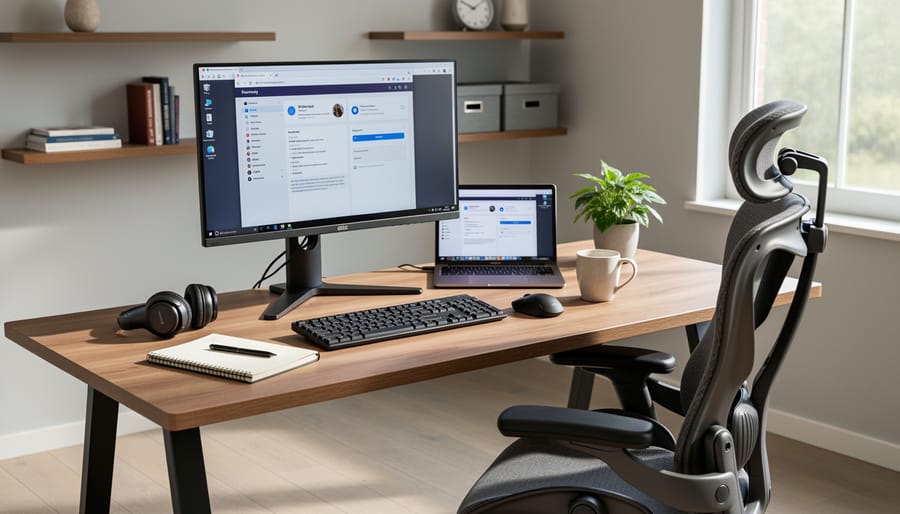
Your brain doesn’t automatically shift into work mode just because you opened your laptop on the couch. Creating a dedicated workspace, even in a studio apartment, gives you a physical trigger that says “this is where I focus and deliver results.”
The psychological impact matters more than the square footage. When you consistently work from the same spot, your brain starts associating that location with productivity. You sit down, and your mind knows it’s time to concentrate. This mental boundary becomes especially valuable when your manager can’t see you working; your environment needs to support your focus when nobody’s watching.
Start with ergonomics, not aesthetics. Your chair should support your lower back, your monitor should sit at eye level to prevent neck strain, and your keyboard should allow your elbows to rest at 90 degrees. Poor setup leads to fatigue, which tanks your productivity and makes remote work feel harder than it needs to be.
If space is tight, claim a corner. A small desk against a wall works better than floating between the dining table and bed. Use a room divider, bookshelf, or even a folded screen to create visual separation. The goal is a spot that belongs to work, not a multipurpose surface where breakfast dishes remind you that you’re still home.
Add a small ritual to reinforce the boundary: a specific lamp you turn on, noise-cancelling headphones you put on, or a door you close. These cues tell both your household and your brain that you’re now at work.
2. Set Clear Work Hours and Communicate Them
Without clear boundaries, remote work can slide into an ‘always on’ existence where your laptop never truly closes and colleagues expect instant replies at all hours. This erosion of work-life separation is a fast track to burnout, and it’s why establishing firm work hours and communicating them clearly is non-negotiable.
Start by defining your actual working hours and treating them as seriously as you would an office schedule. Choose start and end times that align with your team’s core hours but also respect your personal energy patterns and home responsibilities. Then make these hours visible: update your calendar to show your availability, set your Slack or Teams status to reflect when you’re working, and include your hours in your email signature if helpful.
Just as important as setting hours is enforcing them through rituals. Create a distinct start-of-day routine that signals your brain it’s work time, whether that’s changing clothes, making coffee in a specific mug, or a short walk that replaces your old commute. At day’s end, build a shutdown ritual: review tomorrow’s priorities, close all work tabs, and physically put your laptop away. These small acts create psychological boundaries that prevent work from bleeding into every waking hour.
Communicate your boundaries proactively with both household members and work colleagues. Tell your family when you’re unavailable for non-urgent interruptions, and let your team know when you’ll be offline. If a manager or coworker contacts you outside hours, it’s perfectly acceptable to respond during your next work day rather than immediately, setting a sustainable precedent that protects your time and models healthy remote work practices.
3. Master Asynchronous Communication
Asynchronous communication means exchanging information without expecting immediate responses. Instead of ping-ponging messages back and forth, you write complete thoughts that teammates can read and respond to on their own schedule. This matters even more in 2026’s remote landscape, where teams may span multiple time zones and workers increasingly need to prove their effectiveness without constant real-time oversight.
The shift works because it reduces interruptions. Rather than fragmenting your day with constant chat notifications, you can batch communication into dedicated periods while protecting blocks of deep work time.
Write messages that stand alone. Include all necessary context, relevant background, and what you need from the recipient. If you’re requesting feedback, specify your deadline and decision criteria. If you’re updating a project, note what’s complete, what’s in progress, and where you’re blocked. Someone reading your message three hours later shouldn’t need to ask follow-up questions to understand your point.
Document decisions and discussions in shared spaces rather than buried in direct messages. Use project management tools, shared documents, or team wikis so information remains accessible. When you resolve an issue or make a choice, write a brief summary explaining what was decided and why. This creates a searchable record that prevents the same questions from surfacing repeatedly.
Front-load clarity in your subject lines and opening sentences. Lead with your main point, then provide supporting details.
4. Use Video Strategically, Not Constantly
Video calls became the default for remote work communication during the pandemic, but constant face-to-face interaction isn’t always necessary or productive. Video fatigue is real, and strategic use of video actually strengthens your remote work effectiveness.
Turn on your camera for one-on-one check-ins with your manager, team brainstorming sessions, and initial conversations with new colleagues or clients. These moments benefit from reading facial expressions and building rapport. Video helps you communicate your value through engaged body language and direct connection.
Skip video for routine status updates, quick questions, or meetings where you’re primarily listening to presentations. Audio-only calls reduce cognitive load and let you focus on the content rather than managing your on-screen appearance. Written async communication works even better for information sharing that doesn’t require immediate discussion.
When you do use video, be fully present. Position your camera at eye level, ensure good lighting, and eliminate distractions. Quality matters more than quantity.
Establishing team norms around video use prevents awkwardness and ensures everyone feels comfortable. Some days you’ll want camera-on connection. Other days, protecting your energy with audio or text is the smarter choice. Know the difference.
5. Build a Daily Routine That Mimics Office Structure

Without the structure that office life provides, your days can blur together into an undifferentiated stream of work that drains both productivity and mental health. Building a routine that replicates the psychological anchors of office work helps maintain the separation between “work you” and “home you.”
Start your day with a consistent morning routine that prepares you mentally for work, even if you’re only walking to another room. This might include getting dressed (not necessarily in formal clothes, but out of pajamas), having breakfast at a regular time, or taking a short walk around the block that serves as your replacement commute. That physical transition signals to your brain that work mode is beginning.
Structure your workday with intentional rhythm:
- Morning preparation ritual that signals work is starting (coffee, review of daily goals, brief walk)
- Defined work blocks with clear start and end times, just as you’d have in an office schedule
- Regular breaks at consistent times, mid-morning, lunch, mid-afternoon, to prevent burnout
- End-of-day shutdown routine that creates closure (reviewing tomorrow’s priorities, closing work apps, changing location)
The shutdown ritual matters as much as the startup. Close your laptop, physically leave your workspace if possible, and do something that marks the transition to personal time. Without the natural boundary of leaving an office building, you must deliberately create that moment when work ends. Consistency in these routines reduces decision fatigue and creates the mental structure that keeps remote work sustainable long-term.
6. Proactively Manage Your Visibility and Contributions
Remote work can make it easier for your contributions to go unnoticed, especially when managers are juggling both in-office and remote team members. Combat this by making your work visible without being overbearing.
Start with regular status updates that highlight completed tasks and progress, not just busy work. A brief weekly summary of your accomplishments, sent to your manager, creates a paper trail of your contributions. Focus on outcomes and impact rather than hours logged. “Completed client proposal that secured $50K contract” carries more weight than “worked on proposals all week.”
Schedule consistent one-on-ones with your manager, even if they’re brief. These check-ins aren’t just for receiving direction; they’re opportunities to share wins, surface challenges early, and reinforce your reliability. Come prepared with specific updates and questions.
Document your work thoroughly in shared project management tools where others can see progress. This transparency benefits the whole team while showcasing your contributions. When you solve a problem or complete a milestone, share it in relevant team channels with context about why it matters.
Advocate for yourself during performance discussions by keeping a running log of achievements, positive feedback, and quantifiable results. Remote workers often need to be more proactive about self-promotion than their in-office counterparts. This isn’t bragging; it’s ensuring your solid work gets the recognition it deserves when decision-makers can’t physically see you grinding away.
7. Invest in Reliable Technology and Backup Plans
Your professional reputation hinges on showing up reliably for meetings, delivering work on time, and being accessible when needed. When you’re remote, technology failures aren’t just inconveniences, they’re credibility killers. A spotty internet connection that drops you from client calls or outdated hardware that crashes during presentations sends the message that you’re not serious about your work.
Start with your internet connection, the foundation of everything. If your home Wi-Fi is unreliable, upgrade your plan or switch providers. Consider a wired ethernet connection for critical meetings and work sessions, it’s faster and more stable than wireless. Keep a mobile hotspot as backup. This could be your phone’s hotspot feature or a dedicated device. When your primary connection fails, you need to reconnect within seconds, not scramble for alternatives.
Your hardware matters equally. A computer that freezes, a webcam that produces grainy video, or a microphone that cuts out makes you look unprofessional. You don’t need top-of-the-line equipment, but invest in reliable basics: a computer with adequate processing power, a decent external webcam if your laptop’s camera is poor, and headphones with a clear microphone for calls.
For software, maintain updated versions of your collaboration tools and keep login credentials accessible but secure. Nothing wastes more time than troubleshooting outdated software during a meeting.
Create a contingency plan. Know exactly what you’ll do when technology fails: Which backup device will you use? How will you notify your team? Where’s your alternative workspace with reliable internet? Having these answers ready transforms a potential disaster into a minor hiccup.
8. Combat Isolation Through Intentional Connection

Remote work can feel isolating, especially when you lose the casual hallway conversations and spontaneous collaboration that happen naturally in offices. Left unaddressed, this isolation affects both mental health and job performance, making it harder to feel connected to your team’s mission and your own motivation.
The solution isn’t forcing constant video calls, it’s building intentional connection into your routine. Schedule regular virtual coffee chats with colleagues, not to discuss work projects but simply to maintain the human relationships that make work meaningful. Even 15 minutes biweekly creates touchpoints that combat the “alone at home” feeling.
Join professional communities related to your field, whether that’s industry Slack groups, LinkedIn communities, or specialized forums. These spaces provide peer connection beyond your immediate team and can be especially valuable when you’re problem-solving or seeking career advice.
Consider coworking spaces or coffee shops for focused work sessions, even once or twice weekly. The ambient presence of other people working creates energy that’s hard to replicate at home, and you’ll often find yourself more focused and less lonely.
Within your team, advocate for occasional non-work gatherings, virtual game sessions, book clubs, or casual “Friday wind-downs” where work talk is off-limits. These structured social opportunities replace the organic connection that office environments provide automatically. Remember, maintaining these relationships isn’t a distraction from productivity, it’s essential infrastructure that keeps you engaged and performing well remotely.
9. Practice Focused Work with Time-Blocking Techniques
When you work from home, managing your attention becomes your competitive advantage. Without the natural structure of an office environment, distractions multiply, from laundry calling your name to streaming services one click away. Time-blocking transforms this chaos into focused productivity by assigning specific tasks to specific time slots, treating your calendar as a commitment to yourself.
Start with the Pomodoro Technique: work in 25-minute focused sprints followed by 5-minute breaks. This rhythm prevents burnout while maintaining momentum. Set a timer, silence notifications, and commit fully to one task. After four cycles, take a longer 15-30 minute break. The frequent breaks actually improve sustained concentration rather than diminishing it.
For complex projects, schedule deep work blocks of 90-120 minutes during your peak energy hours. Protect this time fiercely, close your email, silence messaging apps, and put your phone in another room. Let colleagues know you’re in focus mode and will respond later. This practice proves invaluable whether you’re currently remote or working to land a remote job that values results over constant availability.
Create visual boundaries for your focus time. Some remote workers use a physical signal like wearing headphones or hanging a “do not disturb” sign where household members can see it. The key is consistency, when you block time, honor it as you would an important meeting.
10. Set Boundaries Around Household Responsibilities
One of the trickiest aspects of remote work is resisting the pull of household tasks during work hours. When your office is steps from your laundry room, the temptation to throw in a load between meetings or start dinner prep during a slow afternoon feels reasonable. It’s not. This divided attention undermines your focus, extends your workday, and makes it harder to mentally separate professional and personal time.
Communicate clear expectations with family members or roommates about when you’re working and genuinely unavailable. If you have caregiving responsibilities, build structured breaks into your schedule for those needs rather than attempting to juggle both simultaneously. Many people who take work from home jobs underestimate how intentional this separation needs to be.
Treat your work hours as sacred, even when no one is watching. Close the door to your workspace, use visual signals like a closed door or specific lighting to indicate you’re working, and save household tasks for defined breaks or after your workday ends. This discipline protects both your productivity and your ability to truly disconnect when the workday is done.
11. Continuously Develop Skills That Make You Valuable Remotely
In an environment where 84% of positions now require office attendance and employers are increasingly scrutinizing remote work arrangements, demonstrating clear value from your home office isn’t optional, it’s career insurance. The skills that make you indispensable remotely are precisely the ones that prove you deserve the flexibility you have.
Digital communication sits at the top of that list. Remote workers who write clear, comprehensive messages that anticipate questions and eliminate confusion save their teams hours of back-and-forth. Master the art of the well-structured email, the concise Slack update, and the thorough project brief. These aren’t just communication skills, they’re documentation that proves your contribution.
Self-management separates remote professionals from those who need supervision. Can you set priorities without daily direction? Do you meet deadlines without reminders? Can you identify problems and solve them before they escalate? Organizations keep remote workers who manage themselves like small businesses, treating their role as a responsibility they own rather than a job they perform.
Tech literacy matters more each year. You don’t need to code, but you should troubleshoot common issues independently, learn new platforms quickly, and suggest tools that improve team efficiency. When you’re the person who figures things out rather than creates IT tickets, you become more valuable.
Results-oriented work habits trump busy-looking activity. Track your outcomes, quantify your impact, and communicate achievements in terms of business results. Remote workers who can point to what they delivered, not just what they did, build the case for their continued flexibility.
12. Prioritize Movement and Wellness Throughout Your Day

Remote work’s biggest physical toll isn’t the work itself, it’s the stillness. When you eliminate the walk to the office, the trips between meeting rooms, and even the journey to a colleague’s desk, movement drops dramatically. Many remote workers spend eight-plus hours in the same chair, eyes fixed on the same screen, shoulders creeping toward their ears. Over time, this sedentary pattern leads to back pain, eye strain, repetitive stress injuries, and an overall decline in physical wellness that affects both health and productivity.
The solution isn’t complicated, but it does require intention. Build movement and wellness checkpoints directly into your workday rather than treating them as optional extras you’ll get to later. Set hourly reminders to stand and stretch. Position your water bottle across the room so refills force you to walk. Schedule walking meetings when you don’t need to reference documents. Consider a standing desk converter or simply taking calls while pacing. These micro-movements accumulate throughout the day and counteract the damage of prolonged sitting.
Create structure around specific wellness practices:
- Desk stretches every 60 minutes: neck rolls, shoulder shrugs, seated spinal twists
- Walking meetings for one-on-one calls or brainstorming sessions
- 20-20-20 rule for eye rest: every 20 minutes, look at something 20 feet away for 20 seconds
- Hydration reminders using phone alarms or apps to drink water regularly
Your physical wellness directly impacts your mental clarity and energy levels. Treating movement as non-negotiable rather than something you’ll fit in when work calms down is essential. The remote workers who maintain high performance over years, not just months, are the ones who protect their physical health as seriously as they protect their focus time.
Common Remote Work Challenges and Solutions
How do I maintain work-life balance when my home is my office?
Physical and temporal boundaries make the difference. Designate a specific workspace that you can “leave” at day’s end, set firm work hours, and create shutdown rituals that signal the transition from work to personal time. Turn off work notifications outside your set hours, and resist the urge to check email after you’ve officially logged off. The blurred boundary is a feature of remote work you must actively manage, not passively accept.
What if I’m struggling to stay motivated without office energy?
Motivation in isolation requires structure you impose yourself. Build a consistent daily routine with a morning ritual that replaces your commute, schedule your most challenging work during your peak energy hours, and set small daily goals you can check off. Connect with colleagues regularly, even informally, to maintain social accountability. Remember that discipline creates motivation more often than motivation creates discipline.
How do I handle constant household distractions?
Communicate your work schedule clearly to household members, use visual signals like a closed door or “do not disturb” sign during focus time, and set specific break times when you’re available. Consider noise-cancelling headphones and time-blocking your deepest work for when distractions are naturally lower.
How can I prove my productivity to managers who favor in-office work?
Document and communicate your output proactively through regular status updates, completed project summaries, and measurable results rather than hours logged. Keep your manager informed of progress without being asked, participate visibly in meetings, and focus conversations on deliverables achieved rather than defending your location.
What should I do when I feel isolated from my team?
Schedule informal virtual coffee chats with colleagues, join or create a remote worker community in your industry, and consider occasional coworking space visits. Initiate video calls for relationship-building, not just task coordination, and participate actively in team channels beyond work discussions.
How do I avoid burnout when work is always accessible?
Treat your work hours as seriously as you would office hours by logging off completely at your set end time, taking your full lunch break away from your desk, and using your vacation days. The accessibility is constant, but your availability doesn’t have to be.
These challenges are real, but they’re also navigable with deliberate strategies. The 77% of remote workers who report equal or higher productivity compared to office-based peers demonstrate that remote work success is achievable when you address these obstacles directly rather than hoping they’ll resolve themselves.
The workplace is changing, but your ability to work effectively from anywhere isn’t going obsolete. It’s becoming a differentiator. Even as more companies mandate office days, the skills you’ve developed through these 12 tips remain valuable assets that set you apart as a self-directed, adaptable professional.
You don’t need to implement everything at once. Start with the tips that address your biggest pain points right now. Maybe that’s finally setting up a proper workspace, or perhaps it’s getting serious about your daily routine. Small, consistent improvements compound into major productivity gains over time.
Remote work skills prove you can deliver results without constant oversight. You’ve demonstrated you can manage your time, communicate clearly across digital channels, and maintain focus without someone looking over your shoulder. Those capabilities matter whether you’re working from home five days a week or negotiating a hybrid arrangement.
The future of work will continue to evolve, but professionals who can thrive in any environment, who’ve mastered both collaboration and independent execution, will always be in demand. You’ve got this. Take what works from this guide, adapt it to your situation, and keep building the career you want on your own terms.